Questions
What Kaze is, what it does not do, and what it needs in order to work. If something is already going wrong, the answer is in the handbook.
What is Kaze?
Kaze locks the apps you reach for without meaning to — for as long as you decide. Pick the apps, set the time, slide the bolt. Then they are gone until the time runs out.
Does Kaze need an account?
No. There is no account, no sign-in and no one to register with. Kaze collects no data about you.
Which devices does Kaze run on?
On the iPhone. Kaze blocks apps through the Screen Time permission in iOS, and that exists only there.
How long can I block apps for?
Today, blocks can be set from one hour up to twenty-four; you choose the duration when you set the block. Extending is possible at any time afterwards, in quarter-hour steps. Shortening is not.
Can I end a block early?
Not just like that. Extending is instant, one turn of a dial. Shortening is not — that needs an emergency code, and the code only arrives by email: a detour of about a minute. Small enough for a real emergency. Large enough to stop “just quickly”.
Why does Kaze need my email address?
For the emergency code, and for nothing else. Anyone who wants to end a block early gets the code by email — the detour is the point. There is no account for the address to belong to.
Which permission does Kaze want, and why?
Screen Time permission for this device is the only permission Kaze needs in order to block. Without it no app can be blocked. Only if you switch on the notice at the end of a block does iOS additionally ask for permission for notifications. What Kaze cannot do with it: see which apps you chose — what Kaze receives from iOS are unreadable identifiers.
What does Kaze build on technically?
On Apple's own interfaces for Screen Time and app blocking. That is why Kaze asks for Screen Time permission, and why it runs on the iPhone only.
Does Kaze collect data about me?
Kaze collects no data about you. There is no account, no sign-in and no analysis. There are three exceptions — the emergency code, the contact form and the feedback route inside the app — and what happens in each is set out in full on the privacy page.
Does Kaze keep score of how often I use it?
No. Kaze keeps no score: no report, no streak, no rating. What is left is a lock and a clock. Nothing else is needed.
What does the name Kaze mean?
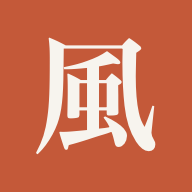
風 means wind. Wind cannot be held, and it stops on its own. Every character in the app is listed with its reading and meaning in the glossary.